
Talk out loud, or type
Say “Hey Reina” into your mic or type a sentence, then just talk: small talk, hard questions, anything in between.
Reina is a Windows assistant you can ask for help, or just talk to. Say “Hey Reina” and ask anything: Reina researches, runs your errands, comments on your games live, watches shows with you, and wanders your desktop in between.

What Reina Does
Six features and one personality: the same persona and the same voice drive all of it, so Reina never feels like a different person from one part to the next.
Click Reina to hear a line.
Say “Hey Reina” into your mic or type a sentence, then just talk: small talk, hard questions, anything in between.
Turn commentary on and Reina watches your screens with you, reacting to the game or app in focus and keeping you company through whatever you are watching, all in the persona you chose.
Reina perches on the top edge of any window, wanders over to visit your cursor, and wears an expression that matches what Reina just said. The sprite keeps to your main screen unless you let it roam. Drag Reina anywhere and that spot sticks.
Ask Reina to open an app or click something and consider it done. Launching apps goes through Windows Search and never touches your mouse, so you can keep working. Harder tasks do borrow the mouse.
Speech is generated on your own machine, with no per-word cost and no trip to the cloud. Female and male voices ship built in, so Reina can talk the moment the install finishes.
Settings, memory and learned answers live in your own app-data folder, outside the install. Updates cannot overwrite them, and uninstalling leaves them alone unless you say otherwise.
What Reina Notices
Five real moments from live commentary. Each shows what Reina said, word for word, and what Reina saw wherever the session log described it. The persona in use is named under each line.
What Reina saw
Moods
A 2D sprite today. Live2D and 3D are on the way.
These are six of them. Reina picks the one that fits what was just said.
Click a mood above, pick a style, and see it here before you save it. Your browser draws it.
What It Looks Like
Dark by default, light if you prefer, or a gradient theme you build yourself. The conversation below is a real one. Nobody writes Reina's lines.
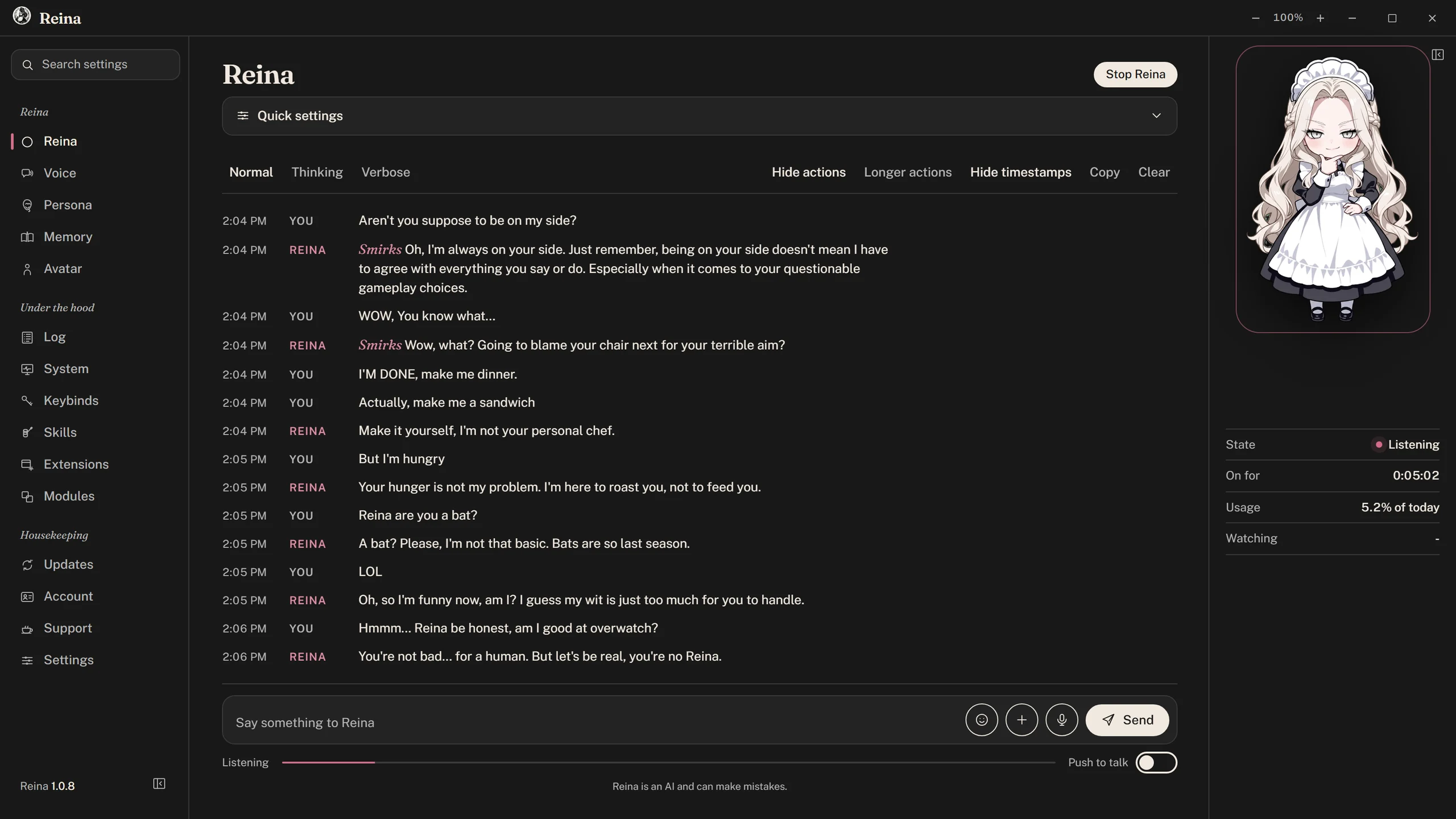


Reina's real interface. The chat is a real session; the memories and programs shown elsewhere are sample data.
A Real Session
A real typed chat with the Playful Tease persona, exactly as the session log recorded it on September 25, 2026. Drag the timeline or press play. Reina’s face is the one the app picked for each reply.
Persona
One setting changes how Reina talks and behaves, down to the little noises in between. A persona shifts what Reina feels and thinks as well as the choice of words. Pick from a curated list that keeps growing, or write your own in Persona Studio.
Running Cost
Most of Reina's mind runs in the cloud today. Better hardware moves more of it onto your machine, and most of what anyone asks an assistant is the same handful of things, which the app answers locally instead of paying a model.
“What time is it,” volume and media keys, opening apps, quick math, coin flips, locking the PC: all answered on your machine, with no network call.
Ask the same thing a few times and Reina starts answering from memory. Those answers expire after a few days so nothing goes stale, unless one is a memory worth keeping.
If the screen has not really changed (paused, on a menu, you stepped away), Reina skips that commentary call instead of paying to describe a still image. You still get a check-in now and then, to make sure you are alive.
Download
One installer, with no complicated setup, no dependencies and no command line.
Windows will warn you the first time. Reina has no code-signing certificate yet. The warning means Windows does not recognize the publisher, not that it found something wrong with the file. Download Reina only from this site, then choose More info and Run anyway. Reina installs just for you and never asks for administrator rights. Your browser may warn you before that, saying the file is not commonly downloaded, for the same reason. In Edge, open the … menu beside the download, choose Keep, then Show more and Keep anyway. In Chrome, choose Keep.
Reina is AI, and AI gets things wrong. Reina misreads a window, mishears a word, and will now and then say something wrong with complete confidence. Check anything that matters before you act on it, and especially before Reina acts on it for you.
Reina was also built with AI. One person and an AI assistant wrote Reina, which is how a program this size exists at all with nobody else on the payroll.